
How to Plan a Multi-Scene AI Movie Script
Planning an AI movie is different from planning a traditional film. Instead of writing a full script and hoping the execution matches, you build your story one shot at a time, with full control over every detail that appears on screen. The key to success is a solid plan that accounts for this unique, iterative process. It guides each decision as you generate scenes, ensuring the final film feels like a single, coherent story rather than a collection of random clips. This guide walks through how to plan an AI movie from the initial spark to a storyboard ready for generation. To start turning your plan into scenes, head to the Cinely creation studio.
Start With a Simple, Visual Premise
Your first idea doesn't need to be complex. The most effective AI movies often begin with a single, strong visual or a clear emotional beat. Think "a lonely robot tends a garden on Mars" or "two strangers share an umbrella in a thunderstorm." This core image gives you a visual anchor and a clear starting point for your first scene. Avoid overly complicated plots with multiple timelines or huge casts at the beginning; you can build complexity later. Focus on a premise that is immediately understandable and visually interesting. For inspiration, browse premade concepts in genres like sci-fi or romance to see how simple ideas can launch entire stories.
Break Your Story Into Clear Scenes or Beats
With your premise in hand, outline the story's progression. Don't think in pages of dialogue, think in visual moments, or beats. A beat is a single, generatable unit of action or emotion: "The robot plants a strange, glowing seed." "The stranger offers a hand to help across a puddle." List these beats in order. For a short film, 5-8 beats is a great target. This list becomes your shooting script. Since Cinely builds movies scene by scene—where each generation is one beat you can reshoot—this approach aligns perfectly with the platform's workflow. You're not locked in; you can refine, reorder, or reshoot any beat later, but a clear sequence keeps you focused.
Define Your Core Visual Elements Early
Consistency is what separates a planned movie from a random clip show. Before you generate the first scene, decide on three key elements: your main character's look, the overall visual style, and the setting. Write a short, reusable description for each. For example: "Character: A young woman with short silver hair and a practical leather jacket. Style: Cinematic, moody lighting, film grain. Setting: A rain-slicked, neon-lit city alley at night." You'll use these descriptions as a foundation for your prompts. Reusing the same character and style across scenes is the primary technical method for keeping the film coherent. Store these notes in a separate document so you can copy and paste them as you work.
Write Effective, Incremental Prompts
Your plan comes alive through prompts. For each beat in your outline, write a prompt that combines your core visual elements with the new action. Use the descriptions you locked in earlier. A prompt for a later beat might be: "[Insert character description]. [Insert style description]. She is in [insert setting], now cautiously approaching a flickering holographic message left on a wall." Notice how the setting evolves slightly ("now cautiously approaching...") while the character and style remain constant. This incremental change is crucial. It moves the story forward while visually tying the new scene to the previous ones. Be specific about actions, emotions, and camera angles (e.g., "close-up on her worried eyes").
Create a Simple Storyboard
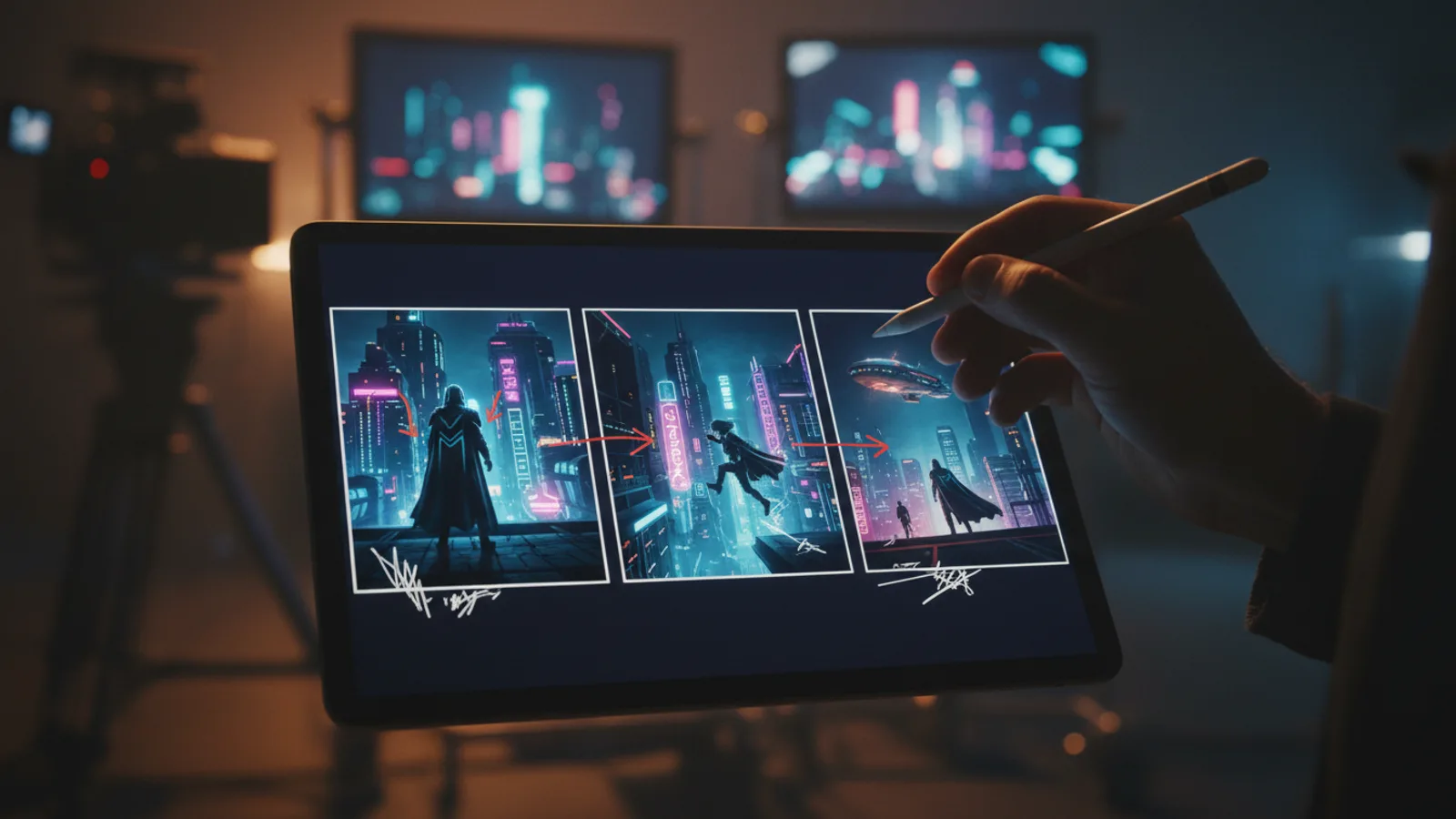
A storyboard doesn't require drawing skills. You can make one with text and placeholder images. Take your list of beats and create a two-column table. In the left column, write the beat number and a brief description of the action ("Beat 3: She discovers the hologram"). In the right column, paste the full, detailed prompt you'll use for generation. You can also add a third column for notes on music, sound effects, or transitions you envision later. This document is your master plan. It allows you to see the entire flow of your movie, ensure visual logic from one scene to the next, and spot any gaps in the narrative before you spend time generating. It turns the abstract plan into an executable production guide.
Avoid These Common Planning Mistakes
A few predictable missteps derail most first attempts, and all of them are avoidable at the planning stage. First, don't write a dialogue-heavy script. AI generation is a visual medium, so a page of witty banter translates poorly; convert conversations into visible actions and reactions instead. Second, resist tweaking your character description between beats. Even a small change like "leather jacket" becoming "dark coat" can shift the character's appearance enough to break continuity. Third, don't make your opening beat the most complicated one. Start with a simple establishing moment and save the crowd scenes or dramatic effects for later, once you've confirmed your style holds up. Finally, don't skip the storyboard because your story "is all in your head." The table takes ten minutes to build and catches narrative gaps before they cost you generation time. If you want a feel for good pacing, watch finished films from other creators and count their beats.
Iterate and Refine the Plan as You Go
The plan is a map, but you can change the route. As you start generating scenes in the Cinely studio, you might get a result that inspires a new idea or reveals that a beat isn't working. That's okay. This is the advantage of AI filmmaking. Go back to your storyboard and adjust it. Maybe you need an extra beat to build tension, or perhaps you realize a character's reaction should be different. Update your core character or style notes if you find a better look. The plan isn't a rigid contract; it's a living document that improves as your movie takes shape. The goal is to maintain that coherent vision, not to blindly follow initial notes.
- How many scenes should I plan for a short AI movie?
- Aim for 5 to 8 key scenes or beats for a short, focused narrative. This gives you enough room to establish a character, present a conflict or journey, and reach a resolution without becoming overwhelming to produce. Each scene is generated individually, so a manageable number allows you to focus on quality and consistency across every shot.
- What's the most important thing for keeping my AI movie consistent?
- The single most important factor is defining and reusing detailed descriptions for your main character and visual style. Before you generate anything, lock in these descriptions. Use them as a foundation in every scene prompt. This technique is core to how Cinely maintains coherence, as the AI uses these consistent cues to generate a unified film across multiple scenes.
- Can I change my plan after I start generating scenes?
- Absolutely. In fact, you should expect to refine your plan. If a generated scene gives you a better idea or reveals a plot hole, update your storyboard. You can reshoot any scene, add new beats, or even tweak your character's description. The plan guides you, but the iterative nature of scene-by-scene generation means your story can evolve organically during production.
Written with AI assistance and edited by the Cinely Team.