
Craft an AI Horror Short Film with Cinely
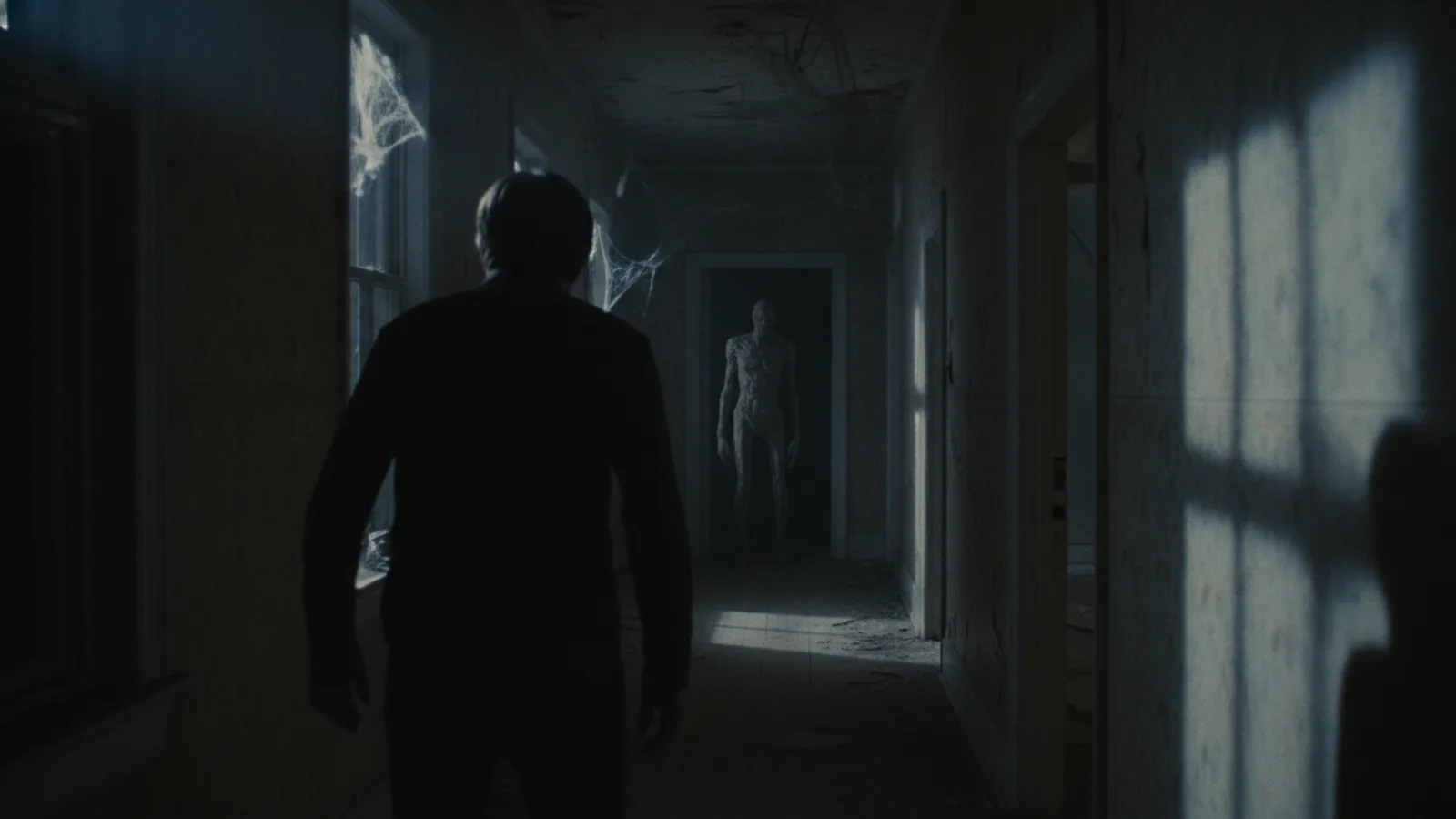
The unsettling creak of a floorboard, the flicker of a shadow, the slow dawning of dread—these are the building blocks of horror. With AI filmmaking tools, you can translate those moments of fear into a fully realized short film without a crew, special effects budget, or years of experience. An AI horror short film lets you experiment with tension and atmosphere in ways that are uniquely accessible. On Cinely, you can start from a ready-made horror template and shape it with your own twisted ideas, using prompts to directly influence a character's perception and create a truly personal sense of terror.
Start with a Horror Template
The blank page can be the scariest part of any creative process. That’s where templates become your best ally. Instead of building your scary AI movie from absolute zero, begin by browsing the curated horror templates within the platform. These templates provide a foundational narrative structure—a haunted location, a disturbing premise, a classic trope with a twist. Your job isn’t to write an entirely new story from scratch, but to take that skeleton and make it your own. Choose a template that sparks an immediate, visceral reaction or an idea for a subversion. The goal is to give you a launchpad, so you spend less time on setup and more on injecting your unique brand of horror. Explore the ready-made horror templates on Cinely to find your starting point.
Build Tension with Character-Perception Prompts
Great horror lives in the subjective experience. It's not just about what's in the room; it's about what the character feels is in the room. This is where AI filmmaking offers a powerful lever: character-perception prompts. These are specific instructions you give the AI to filter the scene through your protagonist's emotional and psychological state. Instead of prompting for "a dark hallway," you could prompt for "a hallway that seems to breathe and pulse with a low, wet sound, its darkness feeling thick enough to choke on." The first describes a setting; the second describes a character's terrifying perception of it. Use these prompts to escalate tension. As the story progresses, make the perceptions more distorted, more paranoid, more visceral. This technique is what makes an AI horror story feel personal and claustrophobic, trapping the audience inside a frightened mind.
Structure Your Scares
Even a short film needs rhythm. Think of your three to five-minute AI horror short film in acts: the unease, the encounter, the escalation, and the aftermath (or lack thereof). Use your opening moments to establish normalcy, then subtly corrupt it. The horror template will suggest beats, but you control their pacing. Perhaps the first sign is a sound that shouldn't be there, glimpsed only by your character. The second is a visual glitch in a reflection. The third is a direct, undeniable confrontation. Space these moments out. Let silence and mundane actions live between the scares; this contrast makes the horrific peaks feel more impactful. Remember, what the audience imagines is often scarier than what you show, so use the AI's visual suggestions to imply rather than explicitly display—at least until the final moments.
Refine the Visual and Audio Atmosphere
Your prompts go beyond the characters to shape the entire world. Be specific about lighting: "the only light is a flickering fluorescent bulb casting jumping shadows" creates a different mood than "cold moonlight slicing through dusty blinds." Describe textures: "peeling wallpaper that resembles blistered skin," "a floor that groans like a living thing." Don't neglect sound in your creative direction. While you may not be composing a score, you can guide the audio landscape through your scene descriptions: "a distant, rhythmic scratching," "a whisper that seems to come from the walls themselves." These details build a cohesive, immersive environment that feels deliberately crafted, not randomly generated. It’s the difference between a generic scary setting and your distinctive haunted space. To see how creators blend these elements in finished films, watch horror shorts made by the community.
Finalize and Share Your Creation
Once you’ve generated your sequences, review them not just as clips, but as a complete narrative. Does the fear build logically? Does the payoff, whether it's a jump scare or a lingering dread, feel earned? Use Cinely's editing tools to adjust the order, trim pauses, or re-prompt a particular shot that didn't land with the right tone. This is your polish phase. When you're satisfied, you have a finished AI horror short film. You can share it directly from the platform, gathering reactions and seeing what truly unnerved your audience. This feedback loop is invaluable. It shows you what works and primes you for your next, even more terrifying project. Ready to turn your nightmare into a movie? Create your first horror scene and start generating.
Learn from the Genre
Your creativity is your greatest asset, but standing on the shoulders of giants can show you new heights. Don't just watch horror; analyze it. When you see a short film or a scene that frightens you, pause it. Ask yourself: What information did the filmmaker withhold? How did they use sound design? What was the point of view? Then, experiment with translating those techniques into prompts. Can you recreate a similar feeling of helplessness by tightly controlling your character's perception prompts? Can you mimic a slow-burn atmosphere through your descriptions of the environment? Use these experiments as practice runs. The more you deconstruct the horror that affects you, the more tools you have to build your own. For more inspiration across different story types, browse suspenseful mystery films or unsettling sci-fi worlds to see how they build suspense and strange worlds.
- Do I need filmmaking experience to make an AI horror short?
- No prior experience is necessary. The process centers on your ideas and prompts, not technical skills like camera operation or editing software. You guide the narrative and atmosphere through text, and the AI handles the visual and cinematic generation. It's about creative direction, allowing you to focus on crafting the story and scares.
- How long does it take to create a short horror film with AI?
- The time varies based on the length and complexity of your story. Starting from a horror template can significantly speed up the process. You could have a basic one to two-minute concept generated in a single session, while refining a more detailed five-minute film with specific perceptual prompts and revisions might take several focused iterations to perfect.
- Can I control specific elements like a monster's appearance?
- Yes, through detailed descriptive prompts. While you don't design assets in a traditional 3D modeler, you use text to guide the AI's visual interpretation. Describe the creature's silhouette, movement, texture, and how it's partially seen. Phrases like "a tall figure with impossibly long limbs that jerk unnaturally" or "a swarm of shadows that coalesce into a human shape" give the AI a clear direction to visualize your monster.
Written with AI assistance and edited by the Cinely Team.