
How to Create a High-Stakes AI Action Movie
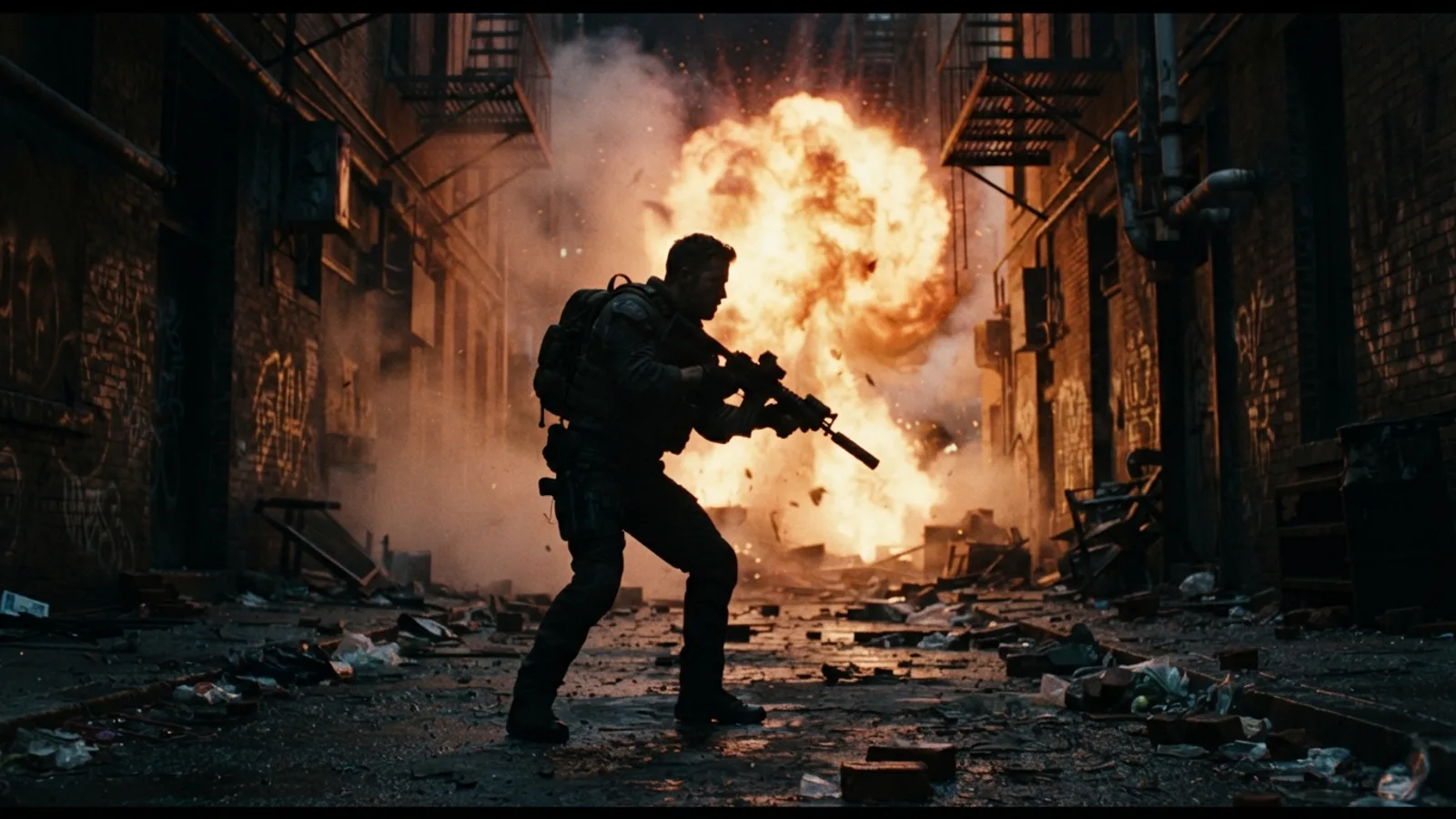
Building an AI action movie lets you direct high-stakes showdowns and chase scenes without a Hollywood budget. This guide is a practical breakdown of the process, focusing on clear structure and smart editing. It starts with selecting the right template to provide a strong foundation. The real craft comes in defining clear, single-beat scenes, then regenerating and refining them until you have a sequence that feels coherent and exciting. The goal isn’t just to generate footage, but to shape a readable, fast-paced narrative.
Start with a Strong Action Template
The fastest way to jump into an AI action movie is to begin with a template designed for the genre. Cinely offers action templates built for high-stakes adventures and showdowns. Think of these as your storyboard or pre-visualization tool; they give you a narrative framework and visual tone to build upon. Using a template doesn't lock you into a preset story—it simply provides a reliable starting point. You can then customize every element, from characters to specific action beats. It’s a smart way to bypass the blank page and ensure your project has the kinetic energy the genre demands from the first frame. Find your starting point by exploring the action templates on Cinely.
Focus on One Clear Beat Per Scene
Complex fight choreography and sprawling chase sequences can quickly become confusing in an AI-generated format. The most effective strategy is to keep each scene focused on a single, clear action beat. Think: "Hero blocks the punch," "Villain detonates the device," "Car swerves around the corner." When you define a scene with one primary action, the AI has a precise instruction to visualize, leading to more coherent and readable results. This clarity is crucial for pacing and for your audience to follow the flow of the conflict. If a scene contains multiple complex actions, consider breaking it into two or three separate, simpler scenes.
Iterate and Regenerate for Cohesion
The first generation of a scene is a draft, not the final cut. If a character's pose is awkward, the explosion looks flat, or the continuity with the previous scene feels off, regenerate it. This is the core of the editing process. You might regenerate a scene five times to get the exact camera angle or facial expression you need. Cinely's tools are built for this iterative workflow. You regenerate any scene you don't love until it fits perfectly into the sequence. This patient refinement is what transforms a collection of AI clips into a cohesive, intentional action movie where each shot serves the story.
Avoid the Mistakes That Break Action Scenes
Most first attempts stumble on the same handful of problems, and knowing them upfront saves hours of regeneration. The biggest is overloading a scene: asking for "the hero fights two guards while hacking the vault door as the alarm blares" gives the AI too many competing instructions, and the result is usually muddled. Split it into three scenes and each beat will land cleanly. The second is skipping establishing shots—if viewers never see the layout of the warehouse, the chase through it reads as visual noise. Open every set piece with a wide shot before cutting in close. Third is ignoring continuity details: a jacket that changes color mid-fight, a weapon that swaps hands, or a night scene that suddenly turns to daylight will pull viewers out instantly, so scan for these specifically on every review pass. Finally, resist the urge to make every scene a climax. Nonstop explosions flatten into monotony; a quiet beat before the final confrontation makes the payoff hit harder.
Build Tension with Sequence Structure
Great action isn't just about spectacle; it's about rising tension and release. Structure your scenes to create this rhythm. A classic three-act sequence for a fight might be: 1) The confrontation (tense dialogue, circling), 2) The escalation (first blows, environment starts to break), 3) The climax (the decisive move or surprising reversal). Use simpler, wider shots to establish geography, then cut to close-ups for impact. By planning your scene order with pacing in mind, you direct the viewer's emotional journey through the chaos. This structural thinking elevates your movie from a series of cool moments to a compelling mini-narrative.
Refine Your Final Cut
The final step is to review your entire sequence as a whole. Watch it through, noting any jarring transitions, inconsistent lighting, or moments where the pace drags. This is where you might go back and regenerate a key scene one more time to improve the flow. Consider adding text cards for context or to simulate chapter breaks. Before you publish, run through a quick checklist:
- Does every scene show one clear, readable action?
- Do character position, costume, and lighting carry over between consecutive shots?
- Does tension escalate across the sequence instead of staying flat?
- Would you skip any scene as a viewer? If so, cut it or regenerate it.
The polish you apply in this stage makes the difference between a rough assembly and a movie that feels deliberate and watchable. Your action movie should feel like a complete, kinetic story. Ready to start directing? Begin creating your project at the Cinely studio.
Explore and Earn as a Creator
Once you've created your AI action movie, you're not just a filmmaker—you're a creator in a community. You can publish your work for others to watch, gathering feedback and building an audience. On Cinely, engaged viewership can contribute to creator rewards. Explore genres like sci-fi or fantasy for crossover ideas, or browse action movies on the Watch feed to see how other creators handle pacing and spectacle. The process of making an action movie teaches you about visual storytelling, a skill you can apply to any genre you want to explore next on your creator journey.
- Do I need filmmaking experience to make an AI action movie?
- Not at all. The process is designed to be accessible. Starting with a pre-built action template provides a solid structure, and the key is learning to give clear, single-action instructions per scene. The most important skill is a willingness to iterate—regenerating scenes until they look right—which is more about visual editing than technical film knowledge.
- How do I make my action sequences look coherent and not jumpy?
- Coherence comes from planning and editing. Focus each scene on one clear action beat (e.g., 'dodge a bullet') so the AI's visualization is precise. Then, watch the sequence repeatedly, regenerating any scene where the character's position, costume, or the lighting doesn't flow smoothly from the previous shot. This iterative polishing is essential for a seamless final cut.
- Can I mix action with other genres, like sci-fi or mystery?
- Absolutely. The best genre stories often blend elements. You could start with an action template for the pacing and fight structure, then incorporate visual cues from sci-fi (futuristic weapons, aliens) or mystery (shadowy clues, tense reveals). Explore templates in different genres on Cinely, like [sci-fi](/explore/sci_fi) or [mystery](/explore/mystery), for inspiration on how to fuse these ideas into a unique hybrid movie.
Written with AI assistance and edited by the Cinely Team.