
Content Safety and Guidelines for Cinely
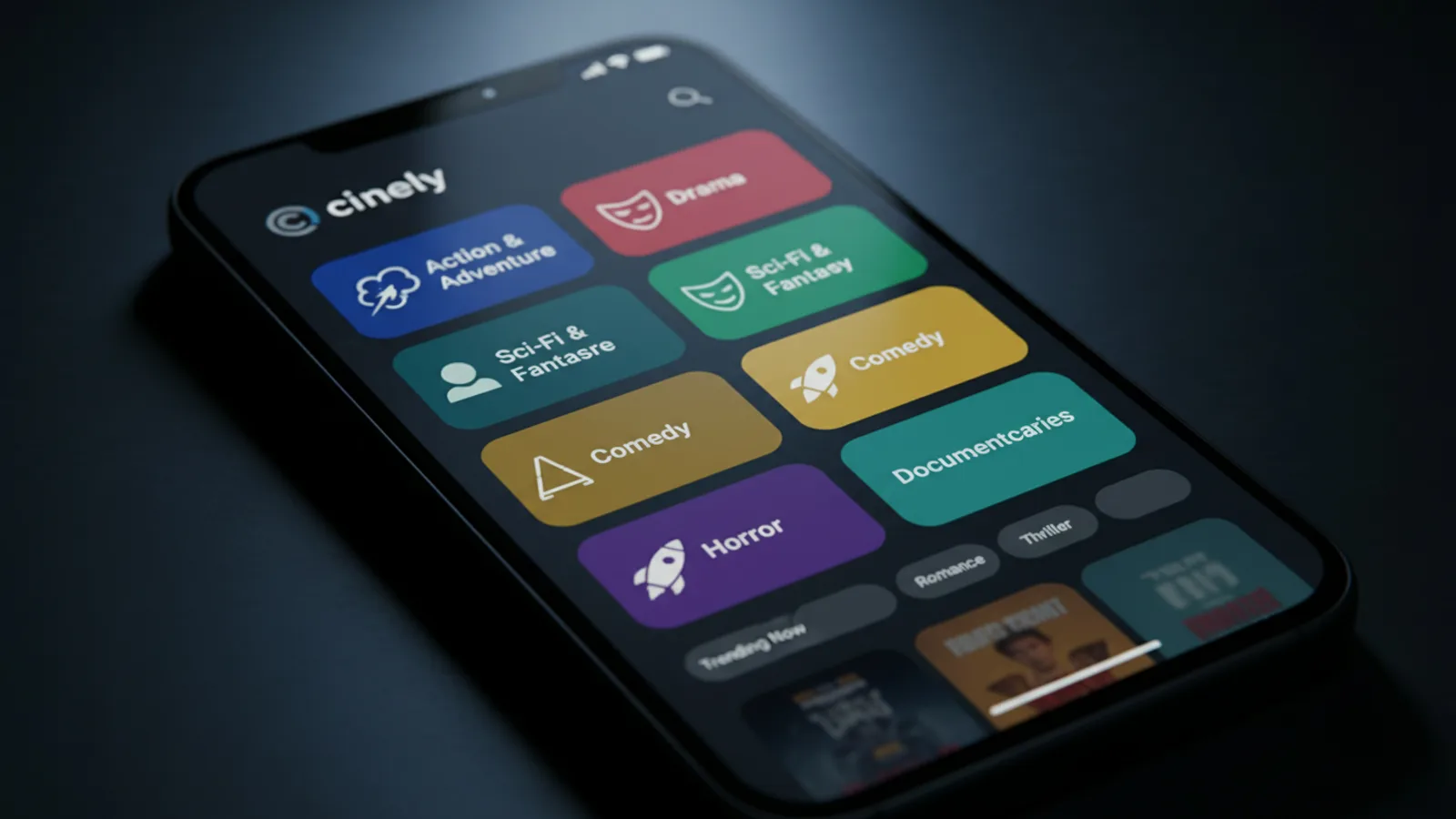
When you’re exploring a platform for creativity, a core question is how it manages safety and content standards. Understanding a tool's guidelines lets you focus on building stories without worrying about what you might encounter. For Cinely, an AI movie-making platform, this involves a clear system of content genres, age restrictions, and user reporting tools. It's built so creators can find the right space for their work, whether that's crafting a family-friendly comedy or a darker, adult-themed narrative. The primary goal is to provide a structured environment where you can create and watch content that matches your expectations and comfort level. Knowing the answer to 'is Cinely safe' starts with its design principles.
How Cinely's Genre System Manages Content
Cinely's approach to content management is fundamentally genre-based. The platform separates content into distinct genre feeds, which functions as the primary filter for both creation and discovery. A central pillar of this system is that the Mature (18+) genre is a separate, opt-in category. This means adult-themed templates and movies are not mixed into the main browsing feeds for genres like /explore/comedy, /explore/action, or /explore/fantasy. You must explicitly choose to explore or create within the mature section. This design gives you control over what you see and ensures the default browsing experience is suitable for a wider audience. The 18+ restriction is applied at the genre level to maintain clear boundaries. For example, if you browse /explore/sci_fi, you'll find space operas and tech thrillers, not adult content. This compartmentalization is the first and most important safety feature.
Your Tools for Reporting and Accountability
As a user, you have direct tools to help maintain the community's standards. The most active tool is the reporting function. If you come across any content that you believe violates Cinely's guidelines—whether it's clearly inappropriate or simply mis-categorized—you can report it directly from within the app. This process typically involves a few taps, often from a menu on the video player or the content's details page. Reporting flags the content for review by the platform's moderation systems. It's a critical part of the self-regulating ecosystem, allowing the community to police itself alongside automated systems. Furthermore, to start creating movies on Cinely, you need a signed-in account. This basic layer of accountability is standard and helps the platform manage content distribution according to its genre system. Your account also gives you full access to Cinely's official Terms of Service and Privacy Policy within the app, which you should review to understand the formal rules.
A Step-by-Step Guide to Creating Within the Guidelines
Working within Cinely's framework is straightforward if you follow a clear process. Here is a practical checklist for creators:
- Define Your Story's Theme: Before you start, identify the core themes, tone, and intended audience of your movie. Is it a lighthearted adventure? A psychological horror? A story with explicit adult themes?
- Select the Correct Genre Path: Navigate to the /create page. Based on your story definition, choose your starting point.
- For mainstream genres (Comedy, Romance, Sci-Fi, etc.), select that specific genre from the main creation hub.
- Only for stories with mature, adult-oriented themes intended for viewers 18+, you must explicitly select the separate Mature (18+) genre entry point.
- Use Appropriate Templates and Assets: Once in your chosen genre workspace, use the templates, characters, and prompts provided for that category. This ensures your output aligns with genre expectations.
- Publish to the Right Library: When you finish, your movie will be published to the public library corresponding to the genre you selected. A film started in /explore/horror will appear there for others to find.
A common mistake is starting a mature-themed story within a mainstream genre template to try and reach a broader audience. This violates content rules, will likely be reported by viewers, and can lead to your content being removed or your account facing restrictions. Authenticity and correct categorization are key.
Navigating and Watching as a Viewer
Your experience as a viewer is directly shaped by this genre-first architecture. When you browse the /watch section or click into specific genres like /explore/mystery or /explore/slice_of_life, you are browsing the main library feeds. Content from the separate Mature (18+) genre does not appear in these feeds unless you specifically and intentionally navigate to the /explore/mature section. This means you can freely explore, get inspiration, and enjoy content without unexpected material. Your watch history and recommendations on the homepage will be tailored to the main genres you interact with. The system is designed for predictable discovery. If you ever see something that seems blatantly out of place—like an adult scene in a family comedy feed—that is the precise scenario where you should use the in-app reporting tool. Your report helps correct these rare errors.
Understanding Policies and Creator Responsibilities
To build sustainably on any platform, you need to understand its formal rules. Cinely's Terms of Service and Privacy Policy are not hidden in fine print; they are accessible within the app for every user. The Terms outline acceptable use, content ownership (you typically own what you create), and the rules against prohibited content like hate speech, harassment, or illegal material. The Privacy Policy explains how your data is collected and used. For instance, it would cover how your viewing habits might inform genre recommendations. As a creator, your responsibility is twofold: first, to create within the correct genre boundaries as described, and second, to ensure your content's substance adheres to the broader community guidelines against harmful material. This is true whether you're making a free project or using advanced features through /premium.
Building a Positive Creative Ecosystem
Ultimately, the safety and quality of Cinely depend on the partnership between the platform's structure and its users. The genre gates and reporting tools are the technical framework. The community's choice to use them properly is what makes the system work. By categorizing your work honestly, you help other viewers find content they will enjoy. By reporting clear violations, you help maintain the integrity of each genre space. This collective effort makes Cinely a more reliable and inspiring place for creativity. It allows diverse creators—from someone crafting their first short in the /studio to a seasoned storyteller exploring complex narratives—to find their niche. Whether your interest is in earning /coins through engagement or simply telling a story, doing so within this defined framework ensures respect for both your work and your audience. The guidelines aren't barriers; they are the architecture that lets different types of storytelling coexist clearly and safely.
- Is there an age restriction for using Cinely?
- Yes, Cinely employs genre-based age gating. The Mature (18+) genre is a separate, opt-in section. Creating or accessing content within this genre requires you to be 18 or older. Browsing the main genre feeds does not have this age restriction, but you must be of legal age to agree to the Terms of Service to create an account.
- What should I do if I see inappropriate content on Cinely?
- Cinely provides an in-app reporting tool for this specific scenario. If you encounter content that you believe violates the platform's guidelines or is in the wrong genre category, use the report function. This alerts the platform's moderation systems to review the content. This tool is a key part of maintaining community standards alongside the genre separation system.
- Where can I read Cinely's official rules and privacy policy?
- Cinely's Terms of Service and Privacy Policy are available for you to read directly within the app. We recommend reviewing these documents to fully understand the platform's content guidelines, user conduct rules, and data handling practices. You can access them from your account settings or relevant informational sections of the application.
Written with AI assistance and edited by the Cinely Team.